HOME / WordPress

How to add authorship information for Facebook, Pinterest and Google on your blog
Authorship markup for sites used to be an exciting term back when Google was using it in the search results but has since faded back as Google decided that it’s not for everyone. Now it may make a come back as Facebook is now using it to help you get more followers and at the [Continue reading]
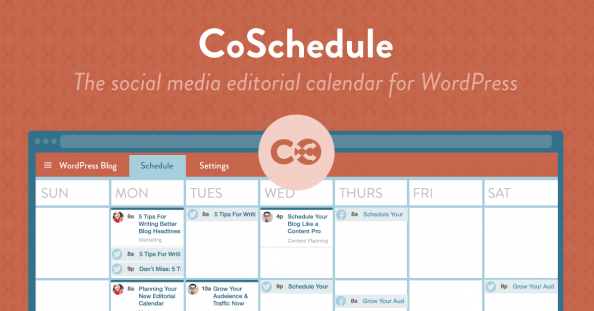
CoSchedule: a full social media solution for WordPress?
The question mark in the title is because this is actually my first test post using CoSchedule. It brands itself as the perfect way to manage your social media scheduling with WordPress as your base. The concept is that you have a calendar where you can visualise your scheduled blog posts and all social [Continue reading]
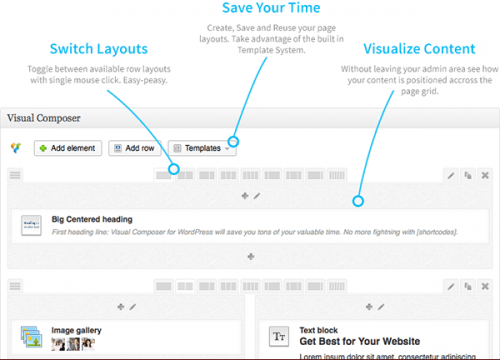
6+1 WordPress initial-setup plugins
In my most recent WordPress installations, these are the plugins I install first: 1) Acunetix WP Security: all sorts of changes in settings and file checks to increase security 2) Limit Login Attempts: Straight-forward plugin that blocks brute-force bots 3) Simple Login Log: exactly what you imagine ;) 4) Google Analyticator: adds GA tags on your [Continue reading]

Improve links to your site on Twitter with Twitter Cards
// Announced since last July, Twitter Cards is Twitter’s equivalent (or “answer” if you like tech drama) to the Open Graph. By defining a set of #meta #tags in your #HTML code you can provide instructions to #Twitterin order to display an “expanded” preview of your page, when your page’s URL is included in a [Continue reading]

Track WordPress Queries with Debug Bar
// I’m in #WordPress mode these days (building a site for a client), so here’s another handy plugin: Debug Bar gives you helpful information for #debugging like PHP error/notices, the full list of database queries and more. I needed the database part as you can see in the screenshot. Get it here: http://bit.ly/Z7YAWe

Secure WordPress with WP-Security
// WP Security Scan is a set of tools for adding some basic #security on your #WordPress installation. It includes: – A series of tests like if you have the latest version, if you’re not telling the world your version of WordPress, .htaccess protection, etc (see screenshot) – Information on your PHP/MySQL installation for debugging– Permissions checks [Continue reading]

How to save space in your WordPress site
// Handy #plugin for #WordPress : WP-Optimize will give you the option to clear revisions, draft posts and spam/pending comments and also optimise your database tables, freeing up value disk space and speeding up all database access. That said, if you use the Google+ Blog plugin http://bit.ly/yNwPxo by +Daniel Treadwell to import your G+ posts in WordPress, [Continue reading]

How to stop SPAM trackbacks in WordPress
// Nearly every #Wordpress blog will start getting spam trackback requests shortly after they have it’s first few visitors. If you’re not familiar with trackbacks, it’s an automated method to get notified (and add link back) when someone links to your blog. Trackbacks are by default enabled in WordPress installations. To the rescue come the [Continue reading]

Gantt charts with Javascript II
// I’ve previously (http://bit.ly/ZTPsnX) wrote about some #javascript based #gantt solutions, here are a couple more: Teamwork Gantt by Open Lab is based on #jQuery and provides features such as: in-place editing, drag&drop, zooming, do/undo, multiple dependencies, full editing, dates shortcuts, css skin, multiple browser, resources editing, multiple assignment, milestones, export data in JSON format, [Continue reading]
Google+Blog for WordPress v.1.1.2
I had previously wrote http://bit.ly/yNwPxo about +Daniel Treadwell’s Google+Blog plugin which imports your #GooglePlus posts into #WordPress . I’ve been a happy user ever since so I’m jumping to the opportunity to post about it again as it has recently been updated. These are changes of v.1.1.0 although it has been silently been updated to [Continue reading]

The Cross-CMS Perception Matrix
In the spirit of the latest "What People Think I Do / What I Really Do" meme (more at http://chzb.gr/A6accB), here is how #CMS developers view other developers and their favorite system. I think each CMS has it’s own purpose and use but there no harm with a little fun :) Included: #WordPress , #Drupal [Continue reading]

Weekend WordPress reading
Just got this! http://t.co/GdRVvuWu Digging into WordPress +Chris Coyier and +Jeff Starr is 400 pages of WordPress knowledge. Just updated to cover WP 3.3 (and with a promise of free future updates forever!) this looks really good. Hopefully, I’ll repost soon with a review of the book :) Edit: just discovered the "All AJAX" theme [Continue reading]

Login log for your WordPress
Here is a companion #WordPress #plugin for the Limit Login Attempts one I posted about before ( http://bit.ly/z3q1gM ): Simple Login Log does exactly that. It keeps a log of all successful or not attempts to login on your site. You’ll be surprised at the number of attempts (I certainly was when I found I [Continue reading]

Block brute-force attempts on your WordPress blog
WordPress on it’s own a quite secure #CMS but this doesn’t mean there is no room for improvement. A simple but effective way to make your #WordPress installation more secure is to limit the amount of attempts that can be made on your login page. This will block automated or not attempts to gain access [Continue reading]

Mail your WordPress posts with Postie
#WordPress has a "post by e-mail" feature included, but it’s fairly basic: you only enter the access information of the e-mail address you are going to use and then pray it all works. #Postie http://bit.ly/yhJpi4 is the same feature on steroids. Here’s what more you can do it with it: – Test your configuration to [Continue reading]

Location-enhanced photos in your WordPress
So you’re taking photos with your mobile and posting them in your #WordPress -powered #photoblog but you find that you’re missing something. While your phone has included location information in the photo, it is nowhere to be found on your site. A solution comes with the GeotagPhoto #plugin : it will identify attached images in [Continue reading]

Easy Google Maps on your WordPress
My #WordPress #plugin discovery of the day: MapPress by Chris Richardson (find it on WordPress.org http://bit.ly/zgNHrR or the developer’s site http://bit.ly/zmMgHa)You can easily add maps on your posts and pages, full with multiple markers, html descriptions, directions, all the usual Google Maps control, etc. It’s free (which covers most uses) with an affordable pro version [Continue reading]

Document Management for WordPress
WP Document Revisions is a document management and version control plugin for the popular content management system, WordPress. Built for time-sensitive and mission-critical projects, teams can collaboratively edit files of any format — text documents, spreadsheets, images, sheet music… anything — all the while, seamlessly tracking the document’s progress as it moves through your organization’s [Continue reading]

How to add Facebook / Twitter / etc authentication on WordPress
In the old days of the internet, it was quite accepted that on each site/forum/whatever you encountered and wanted to participate in a discussion, you had to make a new account. Nowdays, both due to privacy concerns as well as getting used to be automatically logged in, we have ended up seeing that many people [Continue reading]

How to import your Google+ posts in WordPress
It’s not actually any kind of magic, thanks to Google+ API and developer +Daniel Treadwell we have the the Google+Blog WordPress Plugin which you can find here http://www.minimali.se/google+blog/ The plugin is free with a backlink which can be removed for a well-worth $10 (Hi Daniel, I’m currently waiting for my download link :)). Installation is [Continue reading]
#WordPress #security
#WordPress #security Embedded Link Thousands of WordPress sites commandeered by Black Hole Webmasters, update TimThumb now!Mass attacks that exploit a known vulnerability in the WordPress publishing platform have continued to bear fruit for hackers, with thousands of websites claimed in the past few weeks, a researcher said.…

#WordPress #typography #plugins
#goodmorning :) Embedded Link 10 WordPress plugins to enhance your blog’s typography Have you ever visited a blog and noticed immediately how the typography added sophistication and really made the content stand out? Perhaps it was an elegant typeface that fit the theme of the blog, or white space that was used proficiently throughout the [Continue reading]

A really resourceful post!
A really resourceful post! Reshared post from +Gabriel Vasile BEST GOOGLE PLUS PLUGINS FOR WORDPRESS These are the best wordpress plugins dedicated to google plus that I found so far. I hope I didn’t miss other important ones, but if I did… just leave me a comment on the original post: http://goo.gl/FKz5p. Please share this [Continue reading]

Got to try this out
If it works, it will be huge for both WordPress and Google+ Reshared post from +Daniel Treadwell Google+Blog: Google+ posts and comments for WordPress With the huge amount of interest surrounding my Google+ Blog concept on minimali.se, the number one request was that it be made available as a WordPress plugin. With so many people [Continue reading]

WordPress plugin of the day: Auto Link Best Tags
Here is a nice WordPress plugin that can improve content discovery within your blog. It finds mentions of a post’s tags inside the text of the post and creates links to the respective tag pages. Get it at WordPress › Auto Link Best Tags.
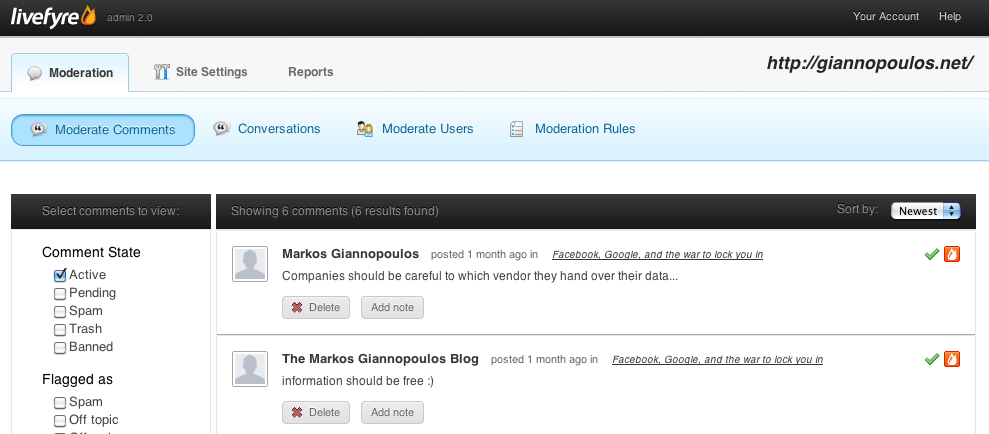
Trying out the Livefyre commenting system
Since the re-launch of the site I have been looking for a way to make the process of commenting easier. I ended up with a connection to Facebook, keeping the WordPress commenting system, but using Facebook for authentication. While page views on the site have been slightly over zero, comments have been, well, basically zero [Continue reading]
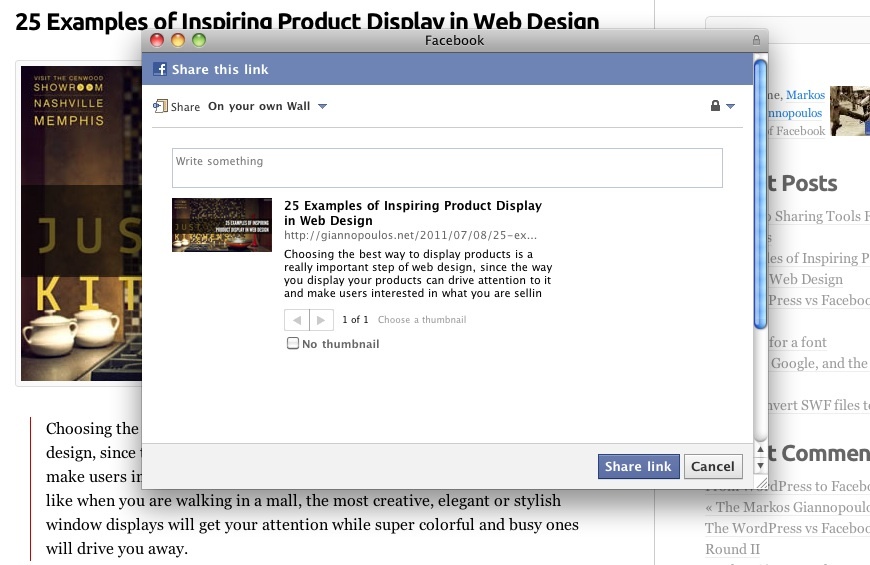
Adding OG Tags in WordPress
I’ve been using the FB Connect plugin for allowing visitors to login on the blog. It adds the Open Graph tags that Facebook reads to determine how a page will be displayed on a Facebook stream when shared, but not all of them. The description and image tags are missing, plus there are not tags [Continue reading]
From WordPress to Facebook and back
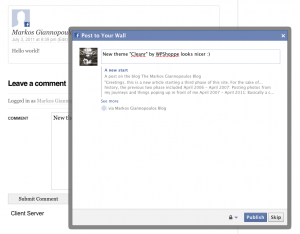
When you start a new blog you have no visitors so you need to reach out to them. And these days most of your audience can be easily reached on Facebook as your social graph is bound to be stored there these days. I have been facing the issue of making it easy for people [Continue reading]
The WordPress vs Facebook Game: Round II